Your budget, on your iPhone — not in someone else's cloud.
Note what you spend and Fince turns it into a clear picture of your month: what's left, what's coming, where it all goes. No bank login, no account, no ads.
- No bank login
- No account
- No ads, no trackers
- 9 languages
- iOS 17+
Know what's left, every day
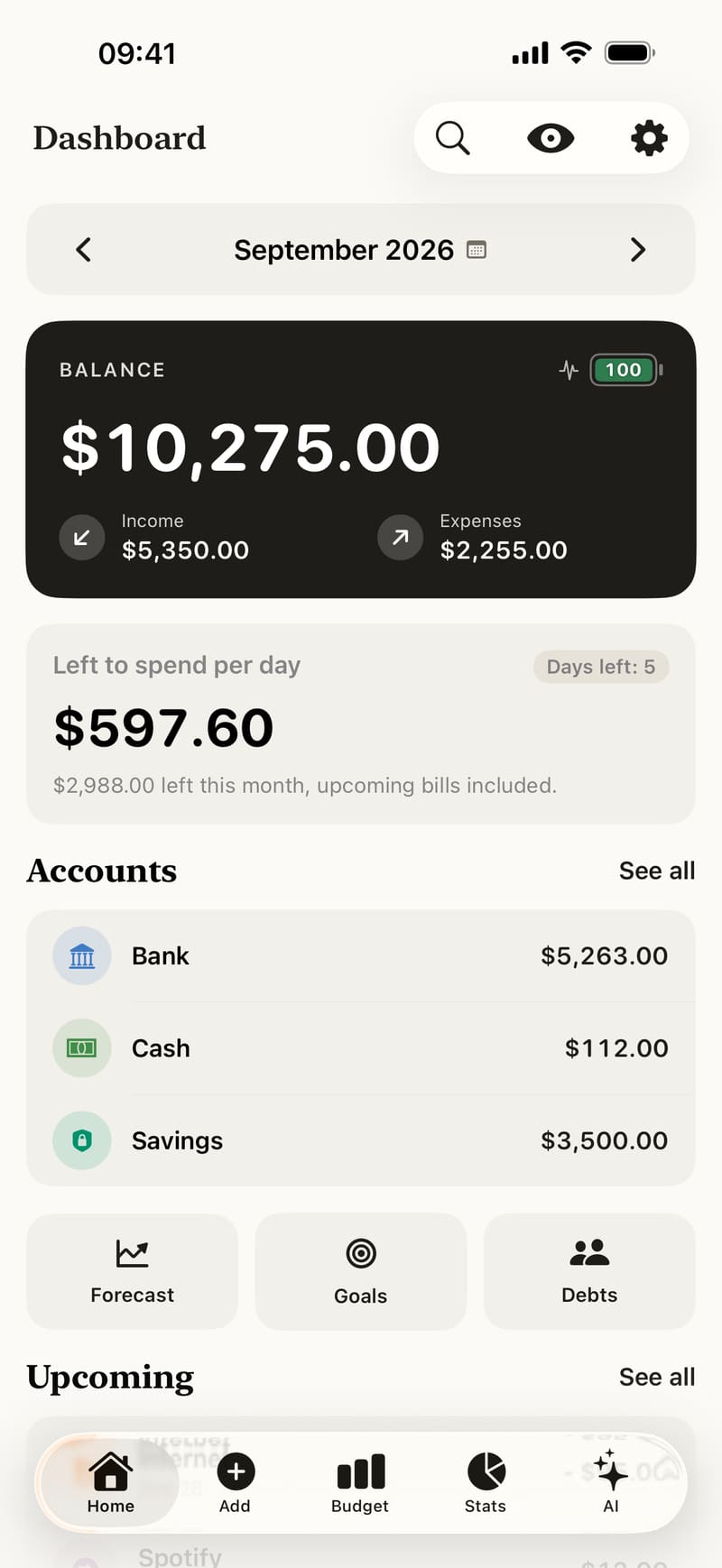
Your balance across accounts, this month's income and expenses, and how much you can still spend each day until the end of the month — upcoming bills included.
- Left to spend per day, bills included
- A Health Score for your month
- The bills due in the next 7 days
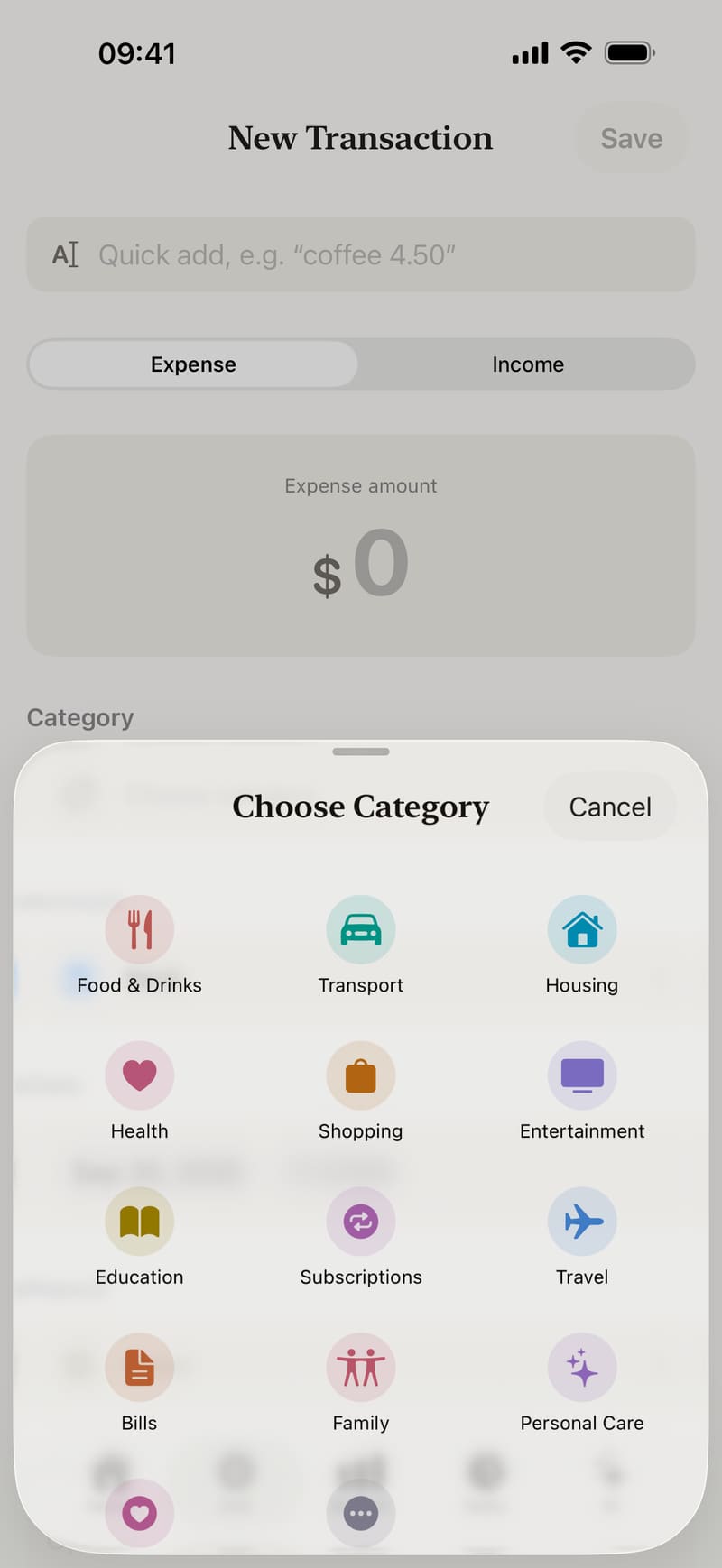
Two taps, and it's noted
Type an amount and pick a category. Or write “coffee 4.50” and Fince fills in the rest. From the app, a widget or Siri.
- 19 ready-made categories, or your own
- Any currency, at the rate you choose
- Tags, notes and receipt photos
Budgets that keep you on track
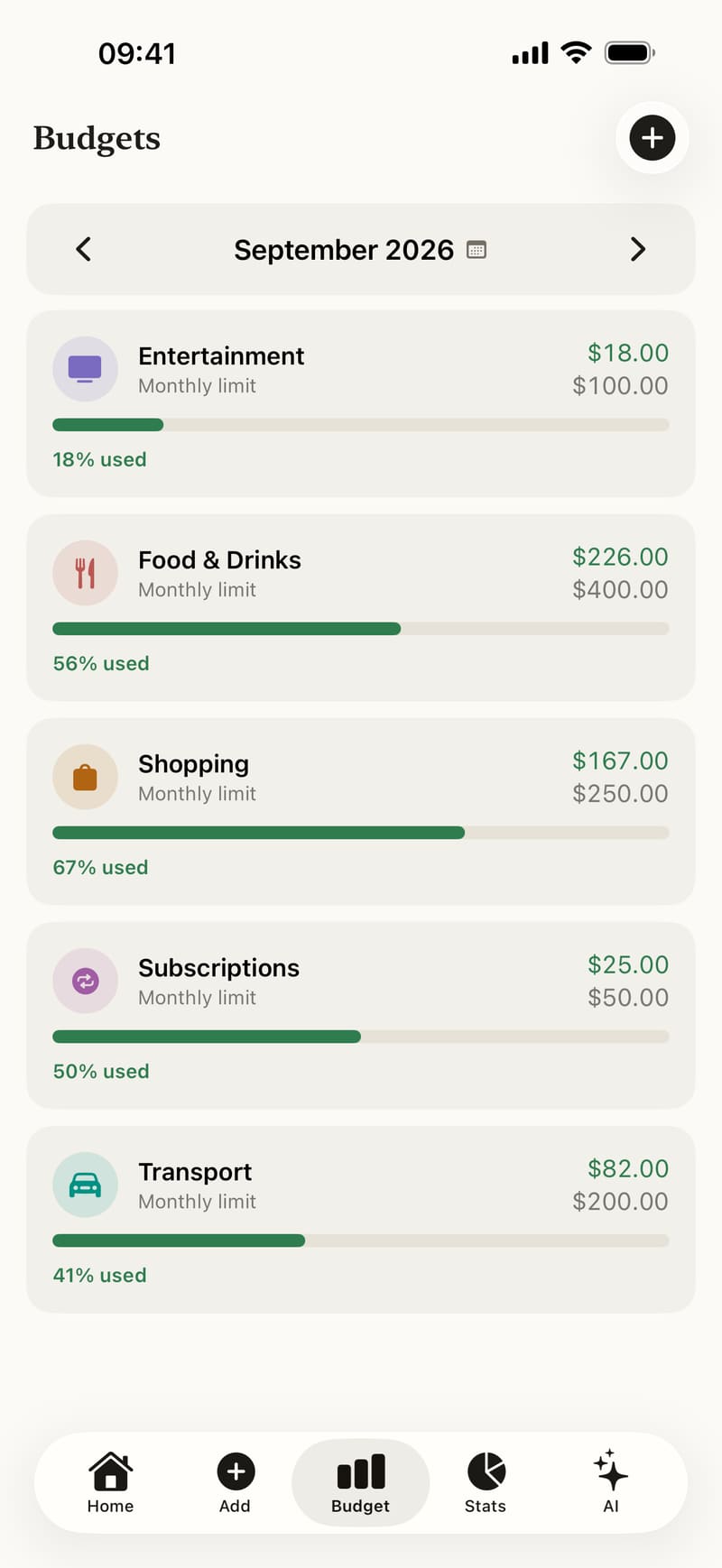
Set a monthly limit for each category. Fince shows how much of it you have used and warns you at 80% and again at 100%.
- Up to 10 budgets free, unlimited with Premium
- A progress bar for every category
- Alerts at 80% and 100%
See where it all goes
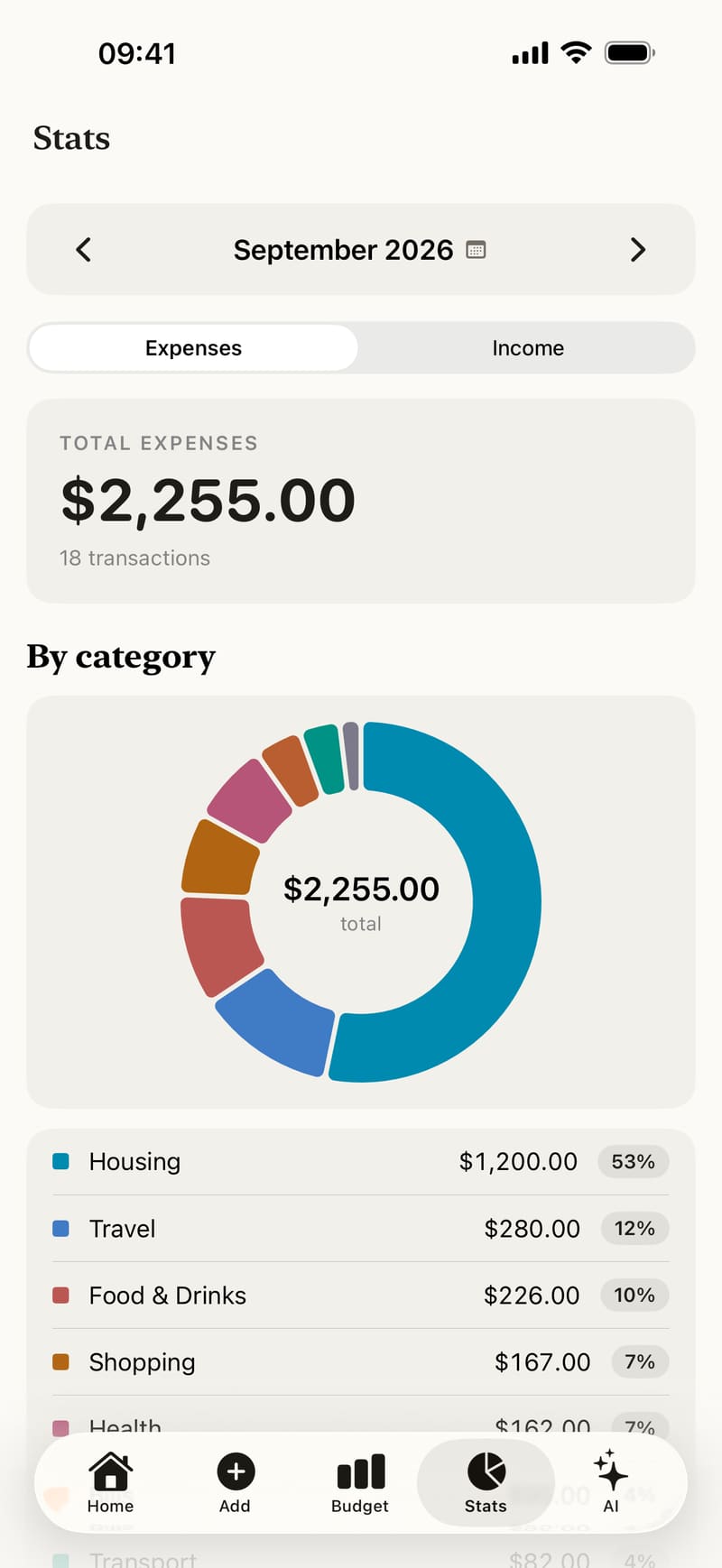
Your spending by category, your month as a calendar, and a search that finds any expense by note, category, account, tag or currency.
- Charts by category
- A spending calendar, day by day
- Search across every transaction
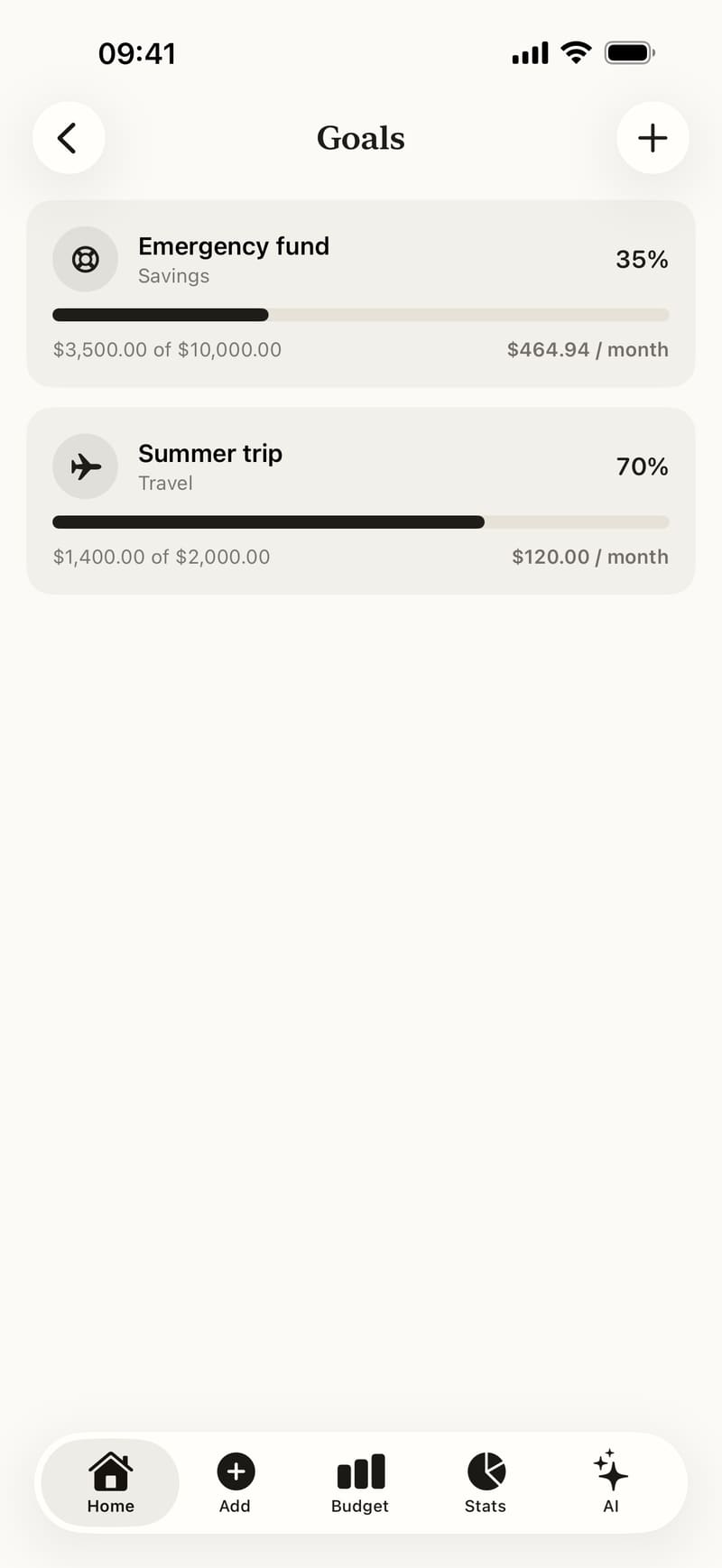
Save for what matters
Create a goal, link it to a savings account, and Fince follows your progress and tells you how much to put aside each month. Debts work the same way: what you owe, and who owes you.
- Goals that follow your savings
- The monthly amount to reach them on time
- Debts and repayments in one place
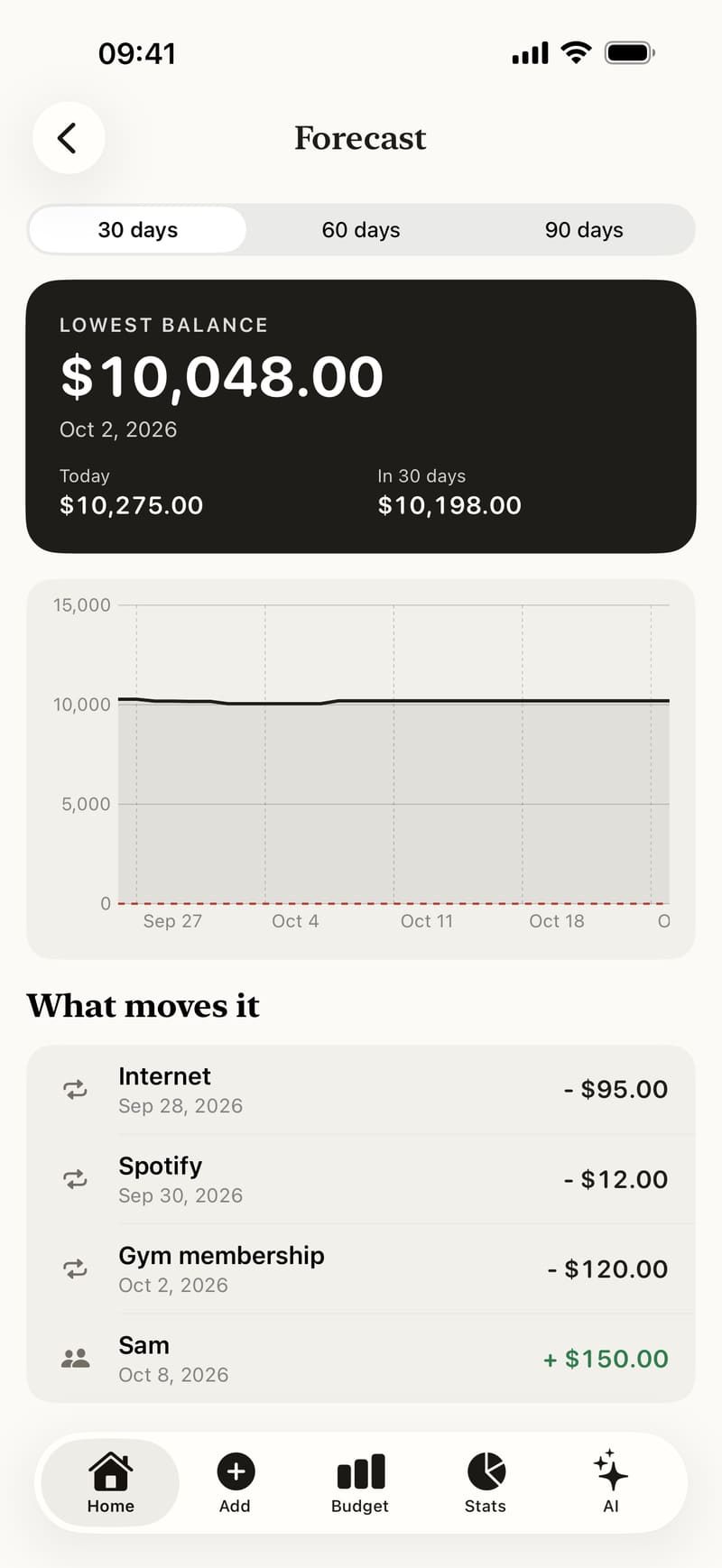
See next month coming
Add your rent, subscriptions and salary once. Fince reminds you the day before and projects your balance 30, 60 or 90 days ahead.
- Recurring bills and income
- A reminder the day before
- Your lowest balance ahead, before it happens
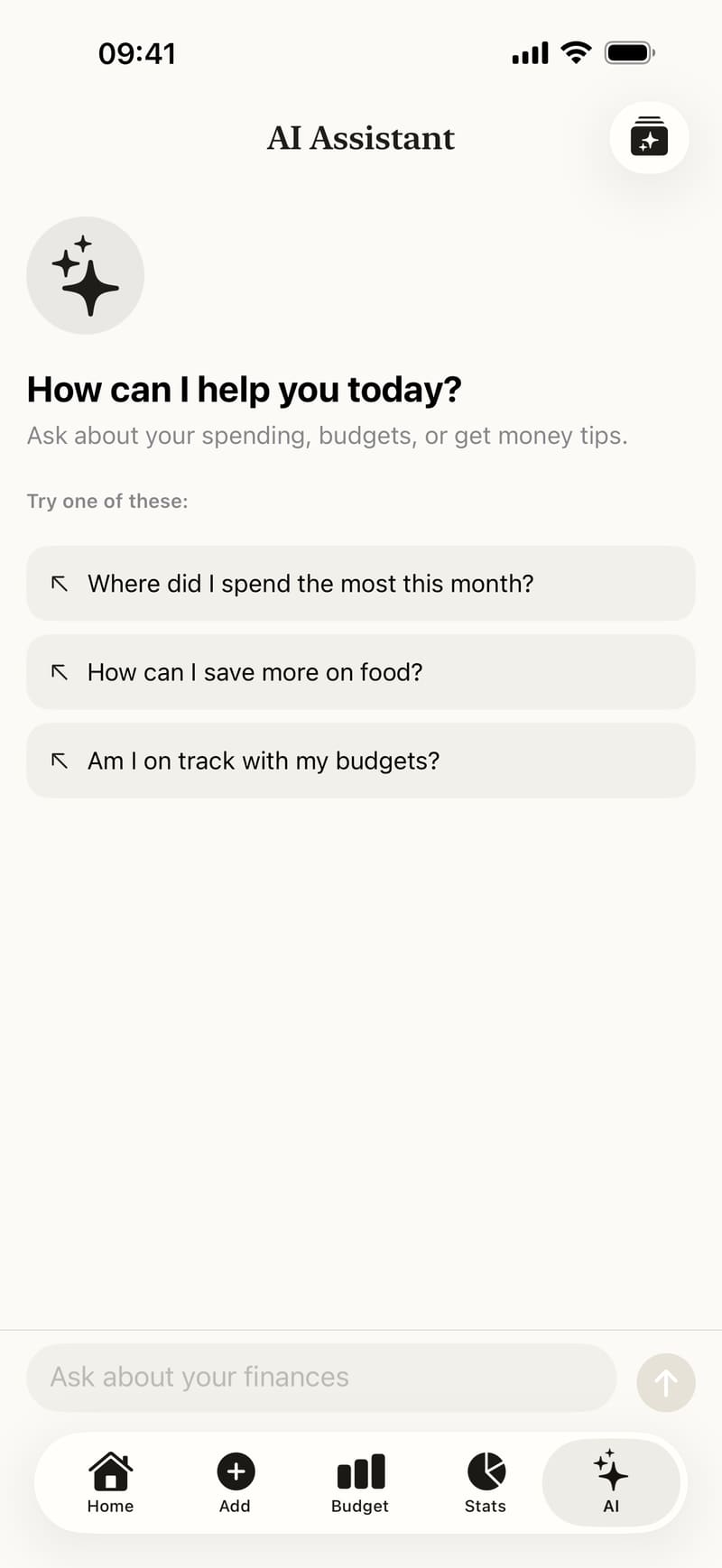
Ask about your money
Weekly insights are written on your iPhone with Apple Intelligence where available. The AI chat answers questions like “Where did my money go this month?”
- On-device insights, unlimited
- An AI chat that knows your month
- Only these features send data — you decide when
Everything your money needs
Accounts, receipts, widgets and sync — built into the same private app.
Accounts
Cash, bank, cards and savings, with transfers between them.
Receipts
Take a photo of a receipt; the text is read on your iPhone.
Widgets and Siri
Home Screen and Lock Screen widgets, and quick add with Siri.
iCloud sync
Optional, between your devices, in your own private iCloud.
Any currency
Spend abroad and record it at the exchange rate you choose.
Face ID lock
Lock the app, and hide amounts with privacy mode.
Backups
A daily backup on your iPhone, and export to JSON or CSV.
9 languages
English, French, Arabic, German, Italian, Korean, Japanese, Spanish and Portuguese.
Your money is nobody else's business
Most budget apps want your bank password. Fince doesn't even want your email address.
- Stored on your iPhoneEncrypted with your passcode. No Fince account, no server copy.
- No bank connectionYou never share bank credentials — there is nothing to leak.
- No ads, no analyticsNo advertising or tracking SDK, and your data is never sold.
- iCloud, only if you wantSync goes to your own private iCloud. We cannot read it.
What the AI features send
Only two features send data, and only when you use them. The AI chat sends this month's totals, your top categories and your latest transactions with their notes. Weekly insights that can't be written on your iPhone send only totals per category and per day.
Both go through our server, which keeps none of it, to Anthropic, which writes the answer. You can leave notes out in Settings, and everything else in Fince works offline.
See it in action
The dashboard, adding an expense, budgets, statistics, the calendar, goals and the forecast — as they look in the app.
Free to start. Premium if you want more.
Everything that keeps your budget is free. Premium lifts the limits.
Free
All you need to track your money privately.
- Unlimited transactions, accounts, goals and debts
- Up to 10 budgets
- Recurring bills, forecast and calendar
- Unlimited on-device AI insights
- 3 AI chat messages a month
- One online weekly insight a week
- Face ID lock, iCloud sync and backups
Premium
For people who plan everything.
or $39.99 a year · 7-day free trial
- Everything in Free
- Unlimited budgets
- Unlimited AI chat
- Unlimited online weekly insights
- Export to CSV
US prices. The App Store shows the price in your currency. Cancel anytime in your App Store settings.
Guides and articles
Step-by-step guides to every feature, and plain-language articles about budgeting.
Add an expense or income
Record an expense or income in Fince with an amount and a category, plus account, date, note, tags or a receipt. Then edit or delete it at any time.
Set monthly budgets by category
Give a category a monthly limit, follow its progress bar and get alerts at 80% and 100%. How budgets work in Fince, month by month.
Left to spend per day
What the Left to spend per day card on the Dashboard shows, how Fince works it out from your income and bills, and what it means when it turns red.
NewsFince 2.0: accounts, bills, goals and more
Fince 2.0 adds accounts, recurring bills, savings goals, debts, a forecast, widgets, iCloud sync and a daily spending allowance — still private.
BudgetingHow much can I spend per day? A simple daily allowance
Work out a daily spending allowance: money left after bills, divided by the days left. How to do it by hand, why it works, and how Fince does it for you.
PrivacyWhy use a budget app without a bank connection?
What linking a budget app to your bank involves, what you gain and lose by noting expenses yourself, and who a budget app without bank access suits.
Questions, answered
Is Fince free?
Yes. Transactions, accounts, goals, debts, recurring bills, up to 10 budgets and on-device insights are free, with no time limit. Premium adds unlimited budgets, unlimited AI chat and online insights, and CSV export.
Does Fince connect to my bank?
No. You add your expenses yourself — in a couple of taps, with a widget or with Siri. You never share bank credentials with Fince or with a data aggregator.
Where is my data stored?
On your iPhone, encrypted with your passcode. If you turn on iCloud sync, a copy goes to your own private iCloud. Fince has no server copy of your budget.
What do the AI features send, and to whom?
Only the AI chat, and weekly insights that can't be generated on your iPhone. The chat sends this month's totals, your top categories and your latest transactions with their notes; online insights send only totals per category and per day. Both go through our server, which keeps none of it, to Anthropic, which writes the answer. You can leave notes out in Settings › AI. Details are in the privacy policy.
What if I change or lose my iPhone?
Turn on iCloud sync and your data follows you to your new iPhone. You can also export a JSON backup from Settings and keep it somewhere safe. The daily automatic backups stay on the iPhone itself.
Can I use several currencies?
Yes. Choose your main currency, then record any expense in another currency at the exchange rate you choose. Fince remembers the last rate for each currency.
Does Fince work offline?
Yes. Everything works without an internet connection except the AI chat and online weekly insights.
How do I cancel Premium?
In the Settings app on your iPhone, tap your name, then Subscriptions, then Fince. You keep Premium until the end of the period you paid for.
Which languages does Fince speak?
English, French, Arabic, German, Italian, Korean, Japanese, Spanish and Brazilian Portuguese. The app follows your iPhone's language.
Your month, clear and private
Free to start. No bank login, no account, no ads.