AI insights and chat
Weekly insights made on your iPhone with Apple Intelligence, and an AI chat about your spending: how to use them and exactly what data is sent.
The AI tab has two tools: a chat to ask questions about your own spending, and weekly insights that sum up your last 7 days. The insights can be made entirely on your iPhone; the chat goes online.
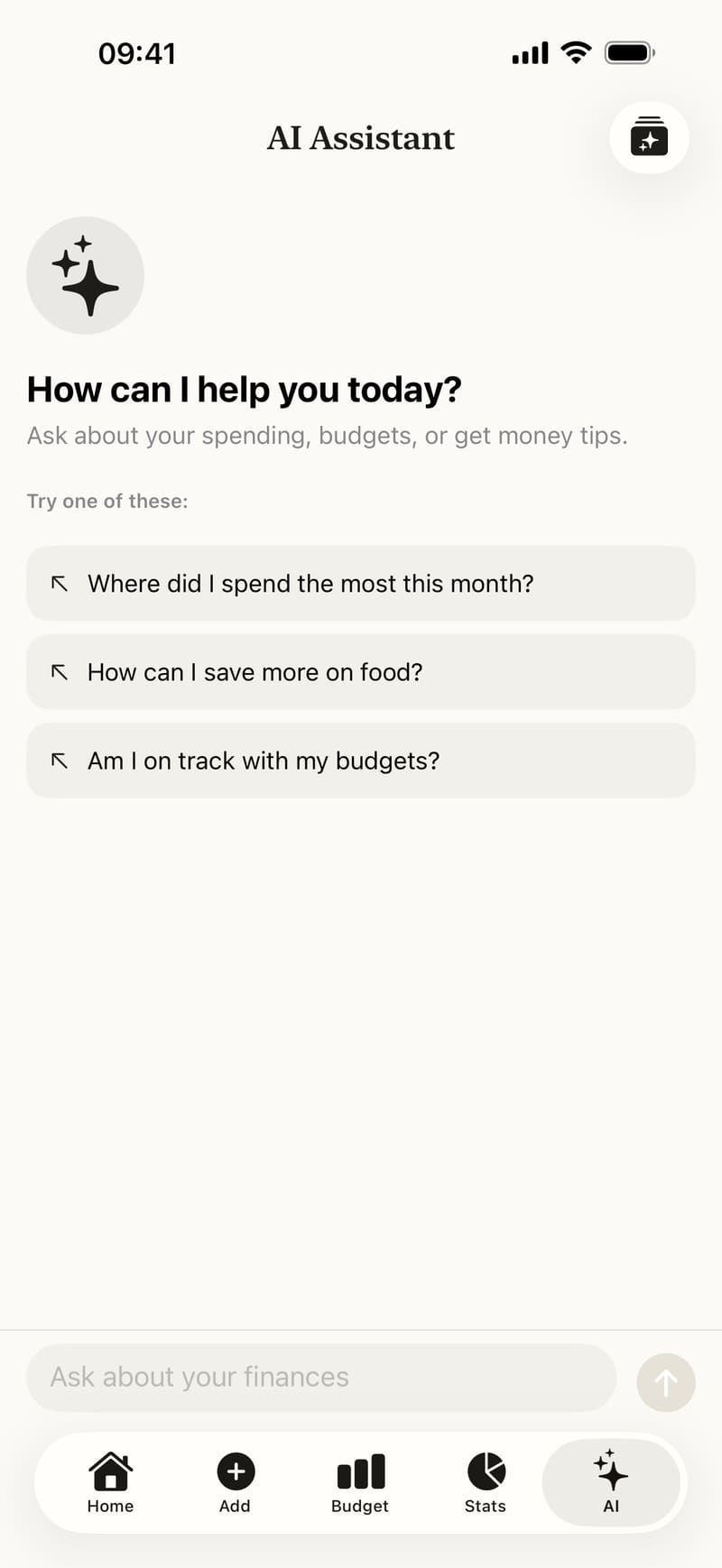
Tap the AI tab. The AI Assistant opens.
Tap one of the suggestions, such as Where did I spend the most this month?, or type your own question in Ask about your finances, for example “Where did my money go this month?”
Tap the arrow button to send. The answer appears in the conversation, and you can ask a follow-up question.
For the weekly insights, tap the button at the top right of the AI Assistant. On the Insights screen, tap Generate insights (later Regenerate insights).
Weekly insights on your iPhone
The insights card shows where they were made:
- Generated on this device: with Apple Intelligence (iOS 26 or later, turned on in the iPhone’s settings). Nothing leaves your iPhone and there is no limit.
- Generated in the cloud: on iPhones without Apple Intelligence, or if you turned the option off.
The option is in Fince’s Settings, under AI: Generate insights on this device. If generating on the device fails, Fince offers Generate in the cloud instead; it is your choice.
What data is sent
Only the AI chat, and weekly insights that can’t run on your iPhone, send data. For the chat, that is:
- your question and the conversation so far,
- this month’s totals (income, expenses),
- your top 3 expense categories this month,
- your 10 most recent transactions from the last 30 days, with their notes.
Weekly insights made in the cloud send a summary of the last 7 days (totals, spending by category and by day), without notes.
This goes through Fince’s server, which stores none of it, to Anthropic (Claude), which writes the answer. Fince’s server also receives an anonymous install ID, used only for usage limits; Anthropic does not receive it. Your name, email, Apple Account, contacts, location and photos are never sent.
To keep your notes private, turn off Include notes in AI chat in Settings, under AI. More in the privacy policy.
Free and Premium
- Free: unlimited insights on the device, 3 AI chat messages a month, and one online weekly insight a week.
- Premium: unlimited AI chat messages and online insights.
When you reach a free limit, the Premium screen opens.
Good to know
- The chat and online insights need an internet connection. Everything else in Fince works offline.
- The AI works from the figures you recorded. It gives general information about your spending, not financial or investment advice.
Related: Face ID lock and privacy mode.